Migrating from PHP to Laravel: A Practical Step-by-Step Guide

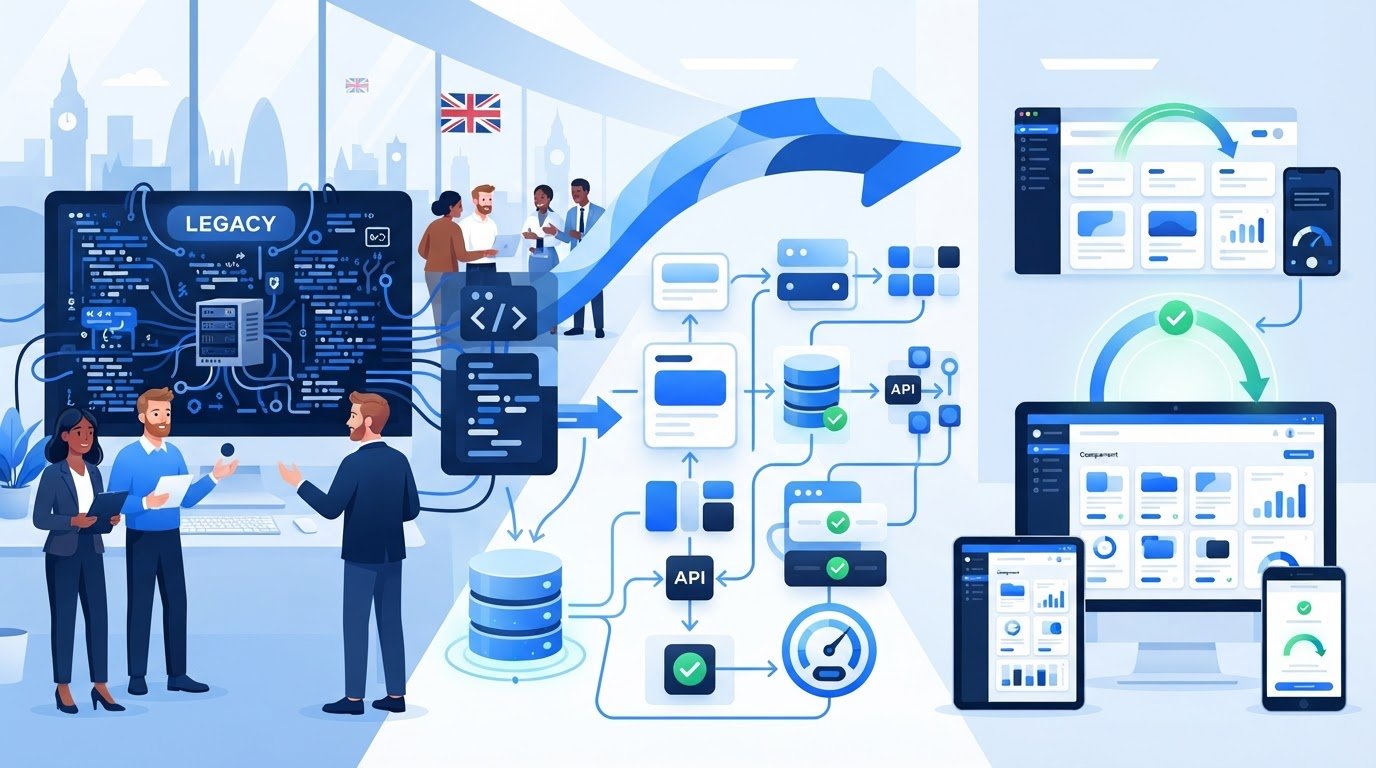
A PHP-to-Laravel migration is not just a framework swap. It transfers business behaviour, and a quick rewrite can be risky when users depend on undocumented workflows, edge cases or integrations. That’s why migrating from php to laravel should begin with evidence of how the application actually works, not assumptions about how it was intended to work.
If you’re weighing a gradual migration against a full rebuild, the right choice depends on the application’s size, dependencies, business criticality and test coverage. In either case, the goal is to modernise without disrupting customers or day-to-day operations.
This guide explains how to assess readiness and scope, document legacy behaviour, choose a strategy and move functionality into Laravel in controlled, testable stages. It also covers database and integration work, practical ways to strengthen test coverage and the decisions to document so the application is easier to maintain. A disciplined plan turns modernisation into a sequence of verifiable changes rather than a high-stakes leap.
A framework migration transfers an application’s behaviour and data into a Laravel architecture. It is not simply a PHP version change. Upgrading PHP changes the runtime; migrating from php to laravel changes how the application is organised and how its features are delivered. The distinction matters: a PHP upgrade may address compatibility or support needs, while adopting Laravel is a broader architectural decision.
Assess the case against the work the application needs to support. Repeated business rules, changes that regularly cause regressions, fragile integrations and rising maintenance effort can all indicate that the current structure is limiting the business. These are reasons to investigate, not proof that a full migration is automatically the right answer.
PHP remains the programming language. Laravel provides conventions for routing requests, applying middleware, validating and handling requests, and organising application code. These tools can make responsibilities clearer. The Laravel framework overview provides more background on its architecture and features. A migration does not require replacing every legacy component at once. Where the architecture and dependencies allow, existing systems can connect to new Laravel functionality in stages.
Migration is worth evaluating when the current design makes routine changes slow or risky, or when planned features and integrations are difficult to support cleanly. The case is stronger when Laravel’s conventions address specific constraints and the existing behaviour can be validated before it is moved.
By contrast, a stable, well-maintained PHP application that meets current needs may be better served by continued maintenance or targeted modernisation. Incremental refactoring can improve difficult areas without the scope of a framework transition. Compare the options against business priorities, dependencies, change frequency and the consequences of disruption. For a broader view of modernisation choices, see this legacy code modernisation strategic guide.
Before committing, ask:
Clear answers help distinguish an architectural need from a preference for a newer framework. They also set the scope for the audit and migration strategy.
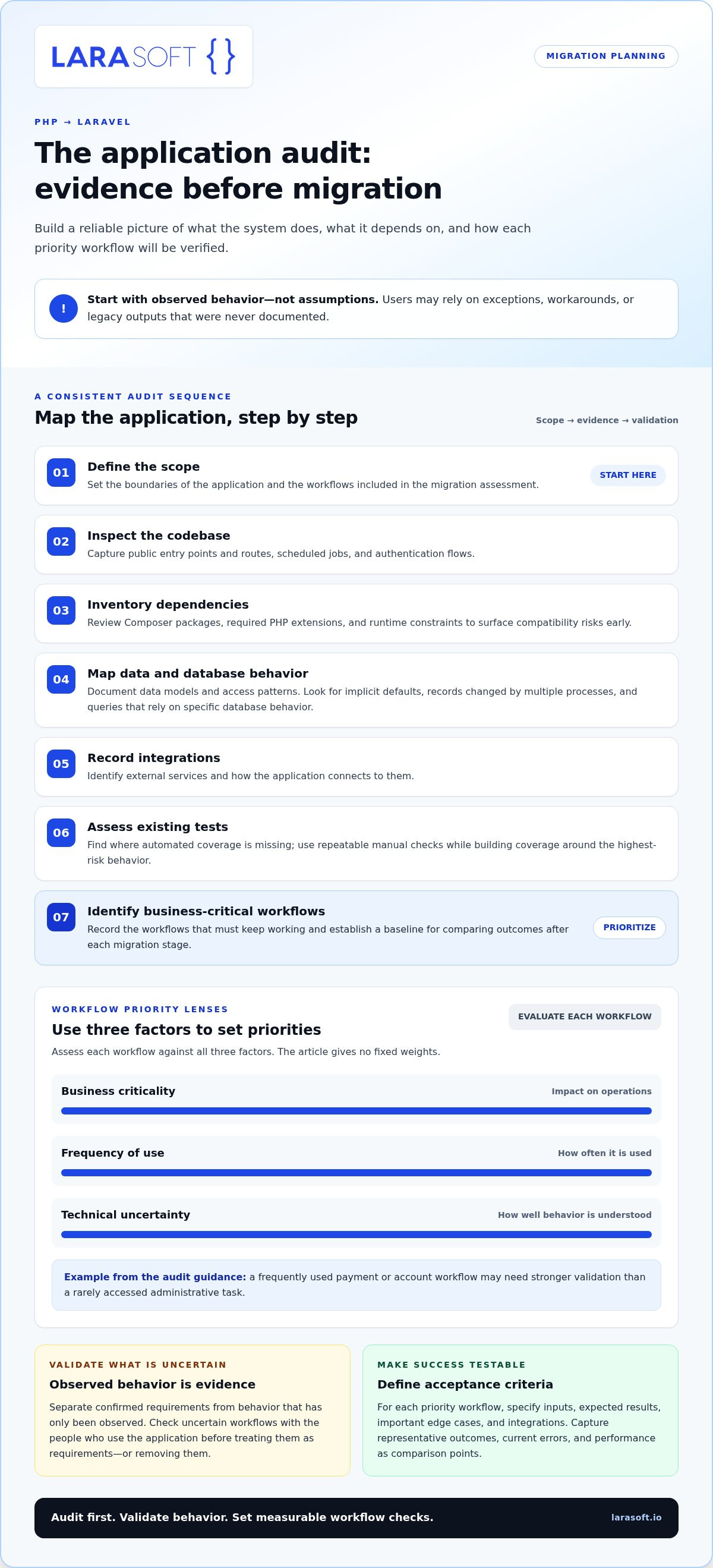
Before changing code, establish what the application does, what it depends on and how success will be measured. A disciplined audit makes migrating from php to laravel a sequence of informed decisions rather than a guess at how the system works. It also provides a baseline for comparing errors, performance and user workflows after each stage.
Work through the system in a consistent order: define scope, inspect the codebase, inventory dependencies, map data, record integrations, assess tests and identify business-critical workflows. Capture public entry points and routes, scheduled jobs, authentication flows and external services. Review Composer packages, required PHP extensions and runtime constraints to surface compatibility risks early.
Document data models, database access patterns and assumptions that could affect migration. Look for implicit defaults, records updated by multiple processes and queries that rely on particular database behaviour. Laravel’s database migration documentation explains how Laravel manages schema changes. First establish what the current schema and application actually require.
Separate confirmed requirements from behaviour that has only been observed. A written specification may describe a process, while users rely on exceptions, manual workarounds or legacy outputs that were never documented. Validate uncertain behaviour with relevant users and stakeholders before treating it as a requirement or removing it.
Rank workflows by business criticality, frequency of use and technical uncertainty. A frequently used payment or account workflow may need stronger validation than a rarely accessed administrative task. Record current errors and performance, and capture representative workflow outcomes so the new implementation has a meaningful comparison point.
For each workflow, define functional tests and agreed acceptance criteria. Specify inputs, expected results, important edge cases and integrations. Where automated tests are missing, write repeatable manual checks while building coverage around the highest-risk behaviour. Clear delivery roles also matter: the Laravel development agency strategic guide explores how responsibilities can be aligned across a Laravel project.
Migration audit checklist: inventory the scope, code, dependencies, data, integrations, tests and critical workflows. Record what is known, validate what is uncertain, and agree how each priority workflow will be proven.
This evidence gives the team a practical basis for deciding what to migrate first and how to protect current operations. For tailored legacy code modernisation, explore structured Laravel development.
The right strategy depends on the application you’ve audited, not on a preference for one migration pattern. Coupling between features, test coverage, data complexity, release constraints and business continuity all affect how safely the system can change. Choose how to migrate based on that evidence and the agreed scope, while accounting for the work users need to continue doing during the transition.
| Approach | Best suited to | Key trade-off |
|---|---|---|
| Staged migration | Systems where new Laravel functionality can be introduced alongside existing PHP components. | Supports controlled releases, but both architectures may need to run and be maintained during the transition. |
| Module-by-module replacement | Applications with separable areas, such as account management or reporting, that have identifiable boundaries. | Limits each change to a defined module, but requires careful management of shared data and cross-module behaviour. |
| Full rebuild | Smaller systems, or tightly coupled applications where incremental replacement is impractical. | Creates an opportunity to reshape the architecture, but feature parity, data transition and acceptance must be planned across the whole system. |
A gradual approach can work when teams can define bounded workflows and keep the remaining PHP application operational. One option is the strangler approach: route selected functionality to Laravel over time, then retire the corresponding legacy paths. This is not a universal fit. Teams need clear routing rules, ownership of shared data and a way to prevent duplicated behaviour or inconsistent results while both implementations are active.
A rebuild may be appropriate when deep coupling makes safe, incremental replacement difficult, or when the audit shows that functional boundaries cannot be established reliably. It still needs a detailed plan for feature parity, data transition, user acceptance and release sequencing. Do not assume a rebuild will be faster. Compare its scope and risks with the work required to separate and migrate existing components.
Use the audit to weigh the decision:
A gradual transition can reduce the size of each release, but it adds coordination across old and new code. A rebuild concentrates the transition into a larger delivery effort. Choose the approach whose risks the team can control and whose acceptance criteria can be tested.
Once the approach is agreed, move one bounded workflow at a time. Before changing its implementation, document the workflow’s inputs, business rules, outputs and dependencies. For example, an order-submission workflow might accept a basket and customer details, apply pricing and validation rules, create an order and trigger a confirmation. The migrated feature should preserve the agreed behaviour, even if its internal structure changes.
Match each existing endpoint to an appropriate Laravel route, controller and middleware. Use request validation to make input rules explicit. Place business rules in services or domain structures when doing so improves clarity and reuse, and keep controllers focused on coordinating requests rather than accumulating application logic.
Assess database behaviour before adopting Eloquent ORM. Compare existing queries, transactions and joins with the needs of the new implementation, and identify operations where performance is sensitive. Eloquent suits many application patterns, but it should not be imposed where carefully managed queries better preserve required behaviour. Avoid recreating legacy complexity as unnecessary Laravel abstractions.
Test the workflow from the user’s perspective, not just through isolated code checks. Cover normal inputs, validation errors, permissions, boundary cases and failures. Check that records remain accurate, and define how data changes will be migrated, reconciled and verified. Test integration contracts too, including API requests and responses, email delivery, scheduled tasks and authentication flows.
For each release, specify deployment checks and observable signals, such as failed requests, job errors or unexpected changes in key workflow outcomes. Agree in advance what triggers a pause or rollback, who makes that decision and how the previous route can be restored. Keep the old path available only as long as the transition plan requires. Do not allow two implementations to update the same data without clear ownership.
If the migration also changes the frontend, treat that as a related but separately testable workstream. A Vue.js interface can connect to Laravel through defined routes or APIs; this Vue.js frontend development guide offers further context.
A disciplined migration makes each release easier to assess: implement one workflow, verify its behaviour and data, review the results, then proceed. Larasoft supports bespoke Laravel applications and legacy code modernisation. Plan a structured Laravel modernisation around your application’s requirements.
A migration is not complete when the Laravel code is deployed. The release must preserve critical workflows, keep data consistent and give the team a clear way to respond if behaviour differs from expectations. Plan cutover around user impact and operational readiness, using the agreed acceptance criteria for each migrated workflow as release gates.
Assign clear owners for deployment, data validation, monitoring and business sign-off. Document the release sequence, checks that must pass before proceeding, and the conditions that would trigger a rollback. Agree how unexpected behaviour will be reported, assessed and resolved so technical and business teams know who makes decisions.
During stabilisation, monitor both technical health and user-facing outcomes. Track the workflows that matter, such as successful submissions, integration errors, failed background jobs and data discrepancies. Compare results with the agreed acceptance criteria, communicate changes to affected users and record issues through to resolution. The rollback plan should state the action to take, who owns the decision and how data consistency will be protected if the previous application path is restored.
Plan for long-term ownership from the start. Document the new architecture, deployment process, integration contracts and known limitations. Schedule dependency maintenance, post-launch fixes and technical reviews so the application remains supportable as business requirements change.
Larasoft works with organisations on bespoke Laravel modernisation, API integration and ongoing software maintenance. These services connect architecture decisions and technical work to the application’s practical needs, rather than treating launch as the end of the project.
A clear handover helps the internal team understand how to operate and extend the application. Keep a record of open issues, ownership boundaries and decisions that affect future changes. Review the application as requirements evolve, and keep maintenance work visible alongside new development.
For a structured transition, discuss a Laravel migration with Larasoft. Define a practical scope, delivery plan and ownership approach for a maintainable Laravel application.
A successful migration is a controlled transfer of business behaviour, not just a change of framework. Audit how the application and its integrations work, then choose a gradual transition or rebuild based on evidence, risk and business priorities. Move bounded features into Laravel and test their behaviour, data and dependencies before each release.
That discipline makes migrating from php to laravel easier to plan and gives your team a stronger basis for long-term maintenance. The right approach preserves essential workflows while creating an application structure that can adapt as requirements evolve.
Larasoft brings together bespoke Laravel web application development, legacy code modernisation, API integration and software maintenance. A technical partner can help shape a migration around your application’s needs and future direction.
With a clear scope, tested changes and lasting ownership in place, the next stage of modernisation can move forward with confidence.
Yes, you can migrate a PHP application to Laravel incrementally if its features can be separated into workable boundaries. Move a workflow or module at a time, leaving other parts of the application running while the new implementation is tested. This requires clear routing and data ownership, plus active management of integrations and any behaviour temporarily duplicated across the old and new systems.
Upgrading PHP changes the language runtime version; migrating to Laravel changes the application’s architecture and how its features are organised. PHP remains the language after migration, while Laravel provides conventions and tools for routing, middleware and request handling. These efforts can be related, but they address different goals. A PHP upgrade alone does not move application behaviour into a Laravel structure.
Start by auditing the application’s code, dependencies, data, integrations, tests and essential workflows. Use that evidence to set scope and choose an incremental approach or rebuild. Then move a bounded workflow into Laravel, map its rules and dependencies, and test expected behaviour, data integrity and failure cases. Release against agreed acceptance criteria, monitor results and use what you learn to plan the next stage of migrating from php to laravel.
Describe each feature in terms of user actions, inputs, business rules and expected results, then test those behaviours in the Laravel implementation. Cover normal use, validation errors, permissions and failure cases, as well as integrations such as APIs, email and scheduled jobs. Compare representative data and outputs with the existing system. Automated tests make checks repeatable, while documented manual checks can cover important workflows where test coverage is limited.
Yes. A PHP application can run Laravel alongside legacy components during a planned transition, provided the boundaries between them are clear. Route selected workflows to Laravel while other functionality stays on the existing system. Define which application owns each piece of data and how requests move between components. Monitor shared integrations and avoid letting two implementations apply conflicting business rules or update the same records.
Inventory the application’s entry points, routes, authentication, scheduled jobs, Composer packages, PHP extensions, runtime constraints, data models and database access patterns. Record external integrations and the tests that cover key behaviour. Identify business-critical workflows, known requirements and undocumented behaviour that needs validation with users or stakeholders. Establish a baseline of errors, performance and workflow outcomes so the team can compare the migrated application with current operation.
Reduce risk by making each release small enough to validate, scheduling cutover around user impact and checking data consistency before routing live workflows to Laravel. Agree release gates, acceptance criteria, monitoring signals and rollback triggers in advance. Assign clear owners for deployment, business sign-off and incident decisions. Communicate changes to affected users, then monitor critical workflows during stabilisation and resolve unexpected behaviour before expanding the migration.
Planning a PHP-to-Laravel migration? Discuss a structured migration with Larasoft.
Here’s what we've been up to recently.
Certified Quality. Great Prices